


CHIM Roleplay Settings
These are the CHIM pages that shape the world beyond normal NPC dialogue. They control NPC records, quests, background activity, lore knowledge, screenshots, diaries, memories, and relationships.
CHIM NPCs Menu
What this page does: The CHIM NPCs menu is the main control page for individual AI characters. This is where you review and adjust how CHIM treats a specific NPC across the playthrough.
- Per-NPC basics: Each NPC entry includes things like name, race, gender, voice, RefID, profile, and portrait so you can confirm the character sheet is correct.
- Profile control: You can move an NPC onto a different CHIM profile, lock that profile so it stays fixed, or leave it more flexible.
- Prompt Head Override: A small copy control imports the currently active prompt head into the NPC override field, giving you a complete starting point before you make character-specific edits.
- Roleplay features: This page ties into dynamic profiles, middle-term memory, individual memory use, auto greetings, auto diaries, and background-life behavior.
- In-game editing: Open the Settings hub from the Prisma CHIM menu and pick the CHIM NPCs tab to browse nearby or discovered characters and edit the same main sections without leaving Skyrim.
- Search and filtering: You can filter by text, profile, favorites, locked NPCs, dynamic profile state, memory state, greeting behavior, and other useful NPC flags.
- Import and cleanup: The page also supports JSON import and export, bulk profile switching, relationship rebuilding, and cleanup for unlocked NPCs.
The NPC editor: Selecting a character opens their editor, which is split into tabs so you can work on one part of them at a time.
- History: Each NPC has their own event history, so you can read what CHIM currently remembers about that specific character rather than the whole playthrough.
- Event injection: Write an event and send it to that NPC, or optionally to another character as well when you want both of them to know something happened.
- Removing recent events: Recent events can be deleted from an NPC's history when something misfired or you would rather it never happened.
- Background Life Goals: Set the routine and purpose that character follows while you are elsewhere. See the Background Life guide for how goals shape their days.
- Background Life inception: Plant an idea in a character's mind so their off-screen choices start moving toward it, instead of waiting for them to think of it on their own.
Inventory And World Awareness
What this does: CHIM records richer item and equipment data so NPCs can reason about what the player and nearby characters are carrying, wearing, collecting, or physically presenting.
- Equipment: Standard and modded equipment slots are grouped into readable worn-equipment context instead of silently dropping non-vanilla slots.
- Inventory: Item names, descriptions, keywords, quantities, and BaseIDs can be included in prompt context according to your context-detail settings.
- Concrete references: Held and picked-up objects include a RefID when Skyrim exposes one, while stacked inventory and container entries use their shared BaseID.
- VR held items: With HIGGS, CHIM can tell NPCs what the player is actively holding in either hand and keep that state separate from ordinary inventory.
- Handing items over: When CHIM recognizes what you are holding, you can give that item to an NPC and have them react to it. This works in both flatscreen and VR.
- Pickup noise control: The global minimum-value setting decides which collected items are important enough to create an event for the AI.
Traditional Quests
What this does: Supported Skyrim quests can be started and advanced through ordinary AI conversation with the quest NPC. You talk normally, and CHIM hands the result to Skyrim's own quest system.
- What is covered: Vanilla and official DLC quests only by default. Radiant quests, the randomly generated ones like fetching an item from a nearby cave, are not supported.
- How to start one: Speak plainly to the relevant NPC and use the words the quest is about, such as the person, place, item, or job involved, instead of picking a traditional dialogue topic.
- Seeing what is recognized: Quest definitions live under Immersion → AI Quest Manager → Traditional Quests, so you can check which quests are covered and what wording they expect.
- Adding your own: Modded quests can be added there too, as long as they are defined manually. Modded quests are not picked up automatically.
- Turning it off: Traditional quest progression can be disabled through Global Settings if you would rather handle quests the normal way.
- Quest behavior: Skyrim always stays the authority on quest state, but expect the occasional miss.
- Separate system: Traditional Quests advance existing Skyrim quests. AI Quest Manager below creates new CHIM-driven storylines and objectives.
AI Quest Manager
What this page does: AI Quest Manager is the page for generating, staging, starting, and stopping AI-driven questlines.
- Scenario setup: You can give the system a player suggestion and extra AI instructions before it generates a quest idea.
- Quest flow: The page supports generating a scenario, staging the storyline, starting the quest, requesting an end, and clearing stored quest state.
- Live tracking: It shows staged storylines, running quests, current pending steps, next objectives, and the NPCs involved.
- New characters: If a generated quest needs someone who does not exist yet, the system can create a new NPC of a supported playable race to fill that role.
- Reference tabs: The quest hub also links to item types, NPC templates, outfits, and quest-system server logs.
- Important setup note: Use Send faction and location info on the Tools page of the CHIM MCM first so the quest system knows where characters can travel.
Background Life
What this page does: Background Life is CHIM's world-simulation map page. It is where you watch off-screen NPC activity and nudge the wider world forward.
- Web and in-game dashboards: The Background Life page is available from the Roleplay web section and the Prisma CHIM menu. See the Background Life guide for a complete walkthrough.
- World map and NPC list: Select a tracked NPC to see where they are, what they are doing, and their recent events, letters, and inner thoughts.
- Actions and rules: Turn actions, letters, and tracking on or off for each NPC, trigger a new action, or ask them to send a letter.
- Create NPCs: Create a new Background Life character from a race, role, and known location while the game is running and unpaused.
- Rumors: Create and manage rumors with a hold, type, content, and lifespan so off-screen stories can spread through the world.
- History: Review travel, work, rest, trade, conversations, and other recorded activity in one event-style log.
- Trigger timing: Background Life Trigger Time is configured in hours under Global Settings. The default is 24 hours.
Oghma Infinium
What this page does: Oghma Infinium is CHIM's lore knowledge system. It helps NPCs know the right things for who they are, instead of every character sounding equally informed about every topic.
- What it changes in play: A blacksmith can sound more natural about weapons, an alchemist can know ingredient effects, and locals can know nearby places better than outsiders.
- How it shows up: Oghma can affect direct conversations and NPC-to-NPC chatter, so it shapes ordinary roleplay instead of only special lore questions.
- Main idea: Oghma helps NPCs know what they should know and, just as importantly, what they should not know.
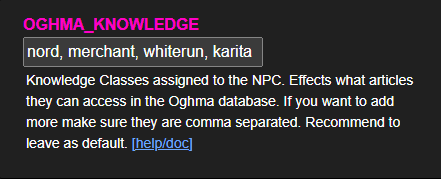
Knowledge Classes And Access
NPCs are given knowledge classes based on things like race, profession, location, factions, and sometimes their specific identity. Oghma checks those classes before deciding what information the NPC is allowed to use.
- Advanced article: The deeper expert version of a topic for characters who should know specialist detail.
- Basic article: The simpler version for ordinary informed people.
- Open common knowledge: If the basic access tags are empty, the basic version is treated as common knowledge.
- No matching access: If an NPC matches neither level, they should not suddenly sound informed on that subject.
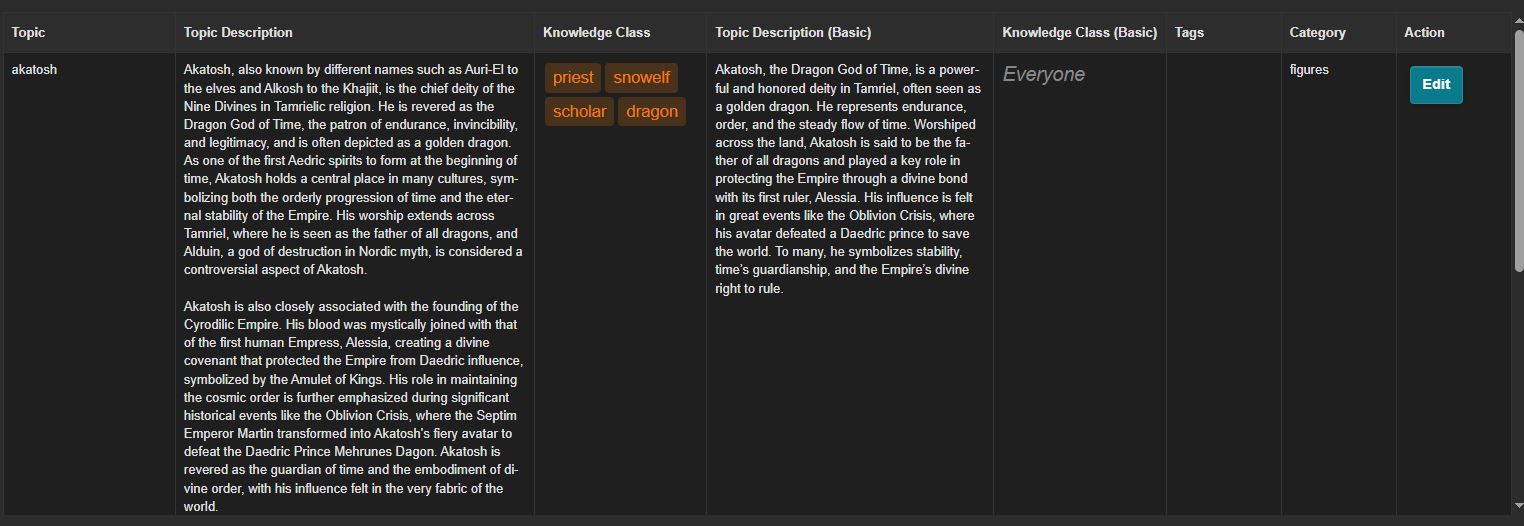
This is why one NPC can sound scholarly about a topic while another can only give a vague answer, or no answer at all.
How It Feels In Play
The best way to understand Oghma is by how it changes ordinary answers:
- Regional knowledge: Someone from Riften may know Northwind Summit well, while people from farther away may know little or nothing.
- Profession knowledge: A blacksmith, fisherman, or alchemist can sound more natural on their own subject area.
- Character limits: If an NPC does not have the right tags for a subject like the Dark Brotherhood Sanctuary, they should not magically sound like an expert.

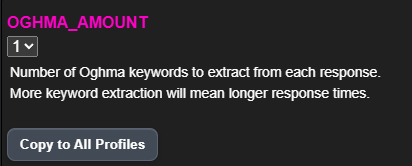
The design goal is that this knowledge appears naturally during conversation. You should not have to constantly ask "what do you know about X" for Oghma to matter.
Managing Oghma Topics
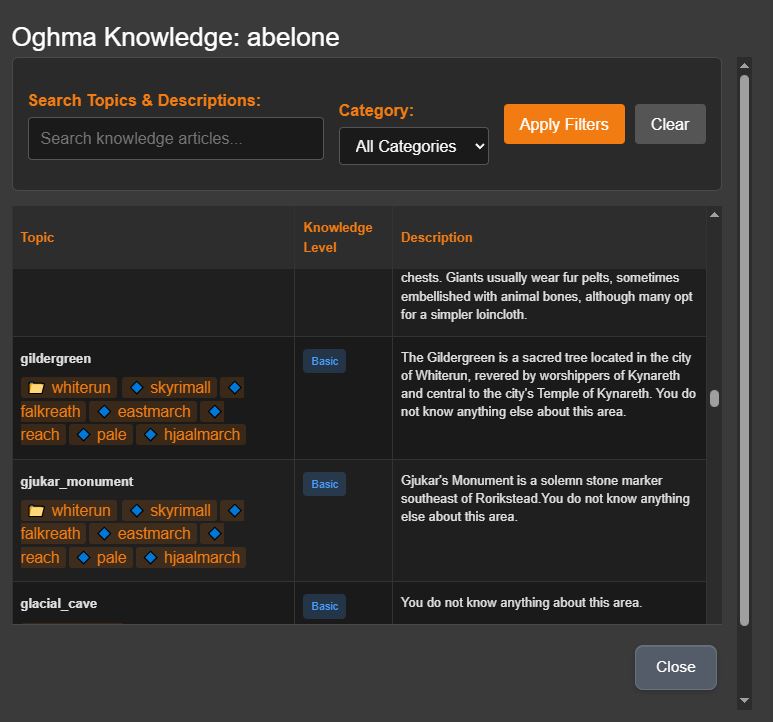
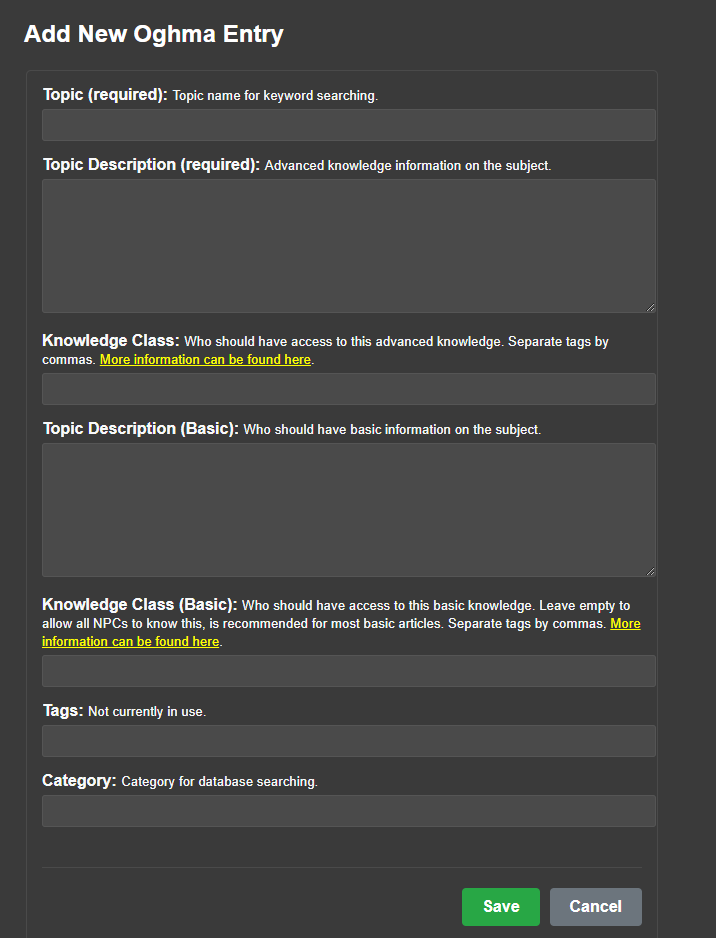
HerikaServer includes an Oghma browser and editor so you can inspect topics and expand the knowledge base for your own mod list and canon.
- Browse topics: You can search by topic or category and inspect what is already covered.
- Edit topics: Each entry can include advanced text, basic text, access classes, tags, and category information.
- Support your own canon: You are not limited to vanilla Skyrim. You can add custom topics that fit your load order and roleplay setup.
- Useful references: The old guide also linked shared sheets for knowledge classes and broader Oghma topic coverage.
Useful references: Oghma Knowledge Classes, Project Oghma, How we made AI NPCs smarter, How we made AI NPCs dumber on purpose.
Topic Picking And Dynamic Oghma
Oghma does not just fire on one hard-coded keyword. It tries to choose the most relevant topic from the current conversation and surrounding context.
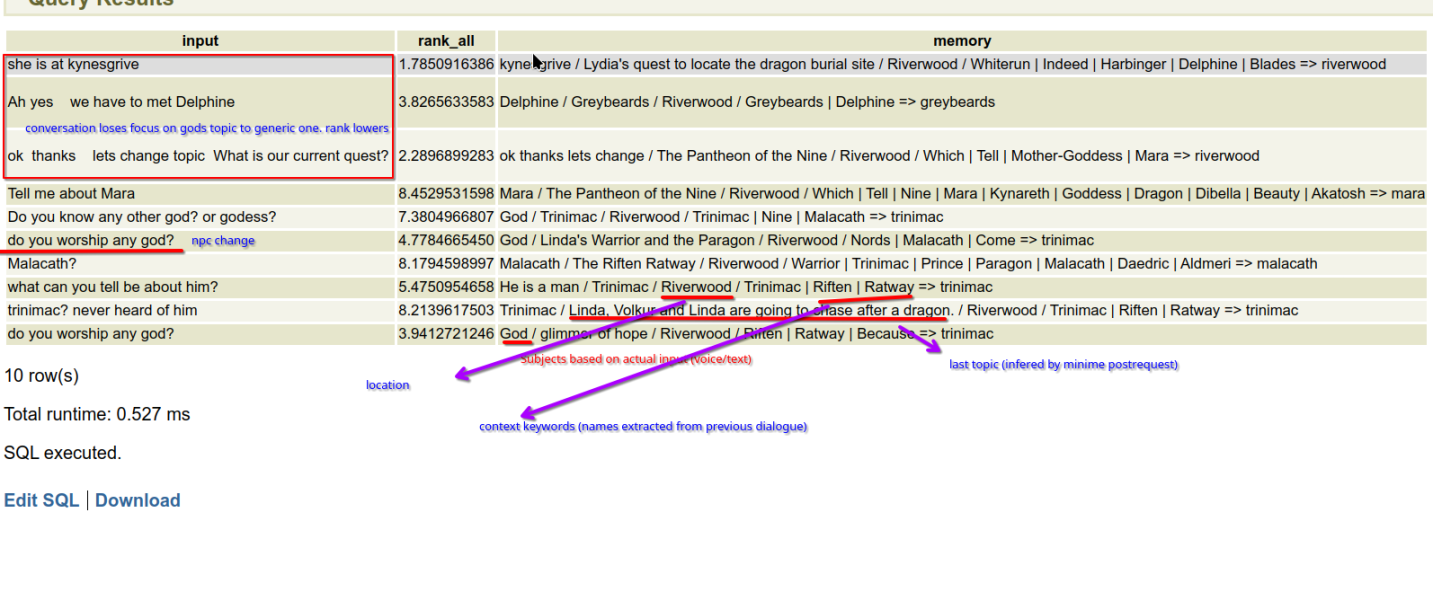
- Normal Oghma: Pulls in the most relevant lore article for the current moment.
- Dynamic Oghma: Lets knowledge change when quests progress, so world knowledge can evolve with your save.
- Why it matters: This stops the lore layer from feeling frozen when your playthrough changes the world.
Dynamic Oghma is what makes this system useful for changing quest states, faction shifts, and custom world progression instead of only static encyclopedia entries.
Soulgaze Gallery
What this page does: Soulgaze Gallery is the image archive for CHIM screenshots and scene captures.
- Gallery browser: Images and videos are shown in one place, newest first, so you can quickly review captured moments.
- Basic management: You can upload JPG or PNG files, open them, download them, and delete them from the gallery UI.
- In-game capture flow: This page expects you to use the Soulgaze hotkey in game so those captures appear here automatically.
- Persistent scene descriptions: Soulgaze descriptions can be reused as visual context when you return to a place.
- Lock as Location Description: Lock the best capture for a location when you want CHIM to keep using that description.
- Extra image tools: The lightbox also includes optional reimagine and animation actions for players who want alternate versions of a captured scene.
Diaries
What this page does: Diaries is the main browser and editor for CHIM diary entries. It is where you read the written inner record CHIM creates for characters.
- Browsing: Entries can be explored by person, by date, or as a larger full-history view.
- Reading modes: You can open a character's diary in a book-style reading view as well as the normal list view.
- Play Audio: Entries can be read aloud from both the web page and Prisma in game, using the voice configured for whoever wrote the diary.
- Physical diaries: A profile can create one readable diary book in an NPC's inventory and keep it updated as new entries are written.
- Latest entry context: Profiles can include an NPC's newest diary entry in future conversations.
- Export: The page supports downloading the current diary view or exporting all diary entries.
- Editing and cleanup: Individual entries can be edited or deleted, and there is also a full wipe option for the whole diary log.
- Player controls: Player Roleplay has independent Auto Diary and Auto Diary Wait switches, so player diary generation can differ from NPC profile behavior.
Memories
What this page does: Memories are managed through the memory tab inside Events & Memories. This is the long-term continuity layer that stops CHIM from treating every conversation like a fresh start.
- Memory summaries: The page shows saved summaries with scope, participants, time coverage, and the actual summary text CHIM is carrying forward.
- System status: It also shows whether the memory system is enabled and whether embeddings and TXT2VEC are available.
- Maintenance tools: You can sync summaries manually, edit a summary, delete one summary, or wipe all saved summaries.
- Roleplay effect: These summaries are what help CHIM keep continuity across long sessions, scene changes, and stretched playthroughs.
Relationship System
What this page does: The Relationship System tracks how characters feel about people, groups, and important ideas over time.
- What it tracks: Emotional and social state like trust, warmth, resentment, fear, attachment, loyalty, or hostility.
- Who it applies to: It is not only for the player. NPCs can build opinions about other NPCs, factions, causes, and recurring topics too.
- How it changes: Conversations, praise, betrayal, repeated behavior, conflict, and major events can all improve or damage a relationship.
- What it changes in play: The same NPC can answer very differently depending on who they are speaking to and how that relationship has developed so far.
- Separate from Oghma: This system is about feelings and social history, not whether someone knows a fact.
Director Scenes
Choose Director mode and describe the scene you want the nearby characters to perform.
- Give a direction: Name the people involved and explain what you want the scene to be about. Your direction is not spoken as normal player dialogue.
- Watch the scene: Characters speak in order and can carry out allowed actions. Enabled actions and the current scene still determine what they can do.
- Your turn: When a character addresses you, the scene hands the conversation back to you. Start and stop notices show when Director is active.
- Change course: Use the normal dialogue-stop controls when you want to interrupt.
Hypnosis
Select an NPC in Prisma chat and use Hypnosis to give a one-off instruction that changes parts of their profile.
- What can change: Personality, goals, speech style and occupation.
- Check the result: Open the NPC profile afterward and review the changes before continuing the scene.
- Quest models: Global Connectors includes separate Quest Creation and Quest Engine choices for creating and running AI quests.